How to Compress Audio Files Without Losing Sound Quality
Are massive sound recordings slowing you down? Learn how to compress audio file data easily without losing quality using a trusted MP3 compressor.
Have you ever recorded an amazing podcast episode or a beautiful voice note, only to find out you cannot share it easily? You try attaching the recording to a quick email, but a frustrating warning pops up on your screen. The message strictly tells you that your attachment is entirely too big. This is an incredibly common headache for digital creators, busy business owners, and music lovers alike. When you record a voice or an instrument, the original file captures every single piece of raw sound data. This pure data makes the file size massive.
These heavy recordings quickly take up all your phone storage. They refuse to upload to your personal website. They make sharing your hard work feel like an impossible technical challenge. Luckily, you do not have to settle for this daily frustration. You can easily fix this problem when you compress audio file data properly. By using a reliable Mp3 Compressor, you can shrink your heavy recordings in just a few seconds. The absolute best part is that your listeners will never even hear a difference in the quality. Let us explore exactly how you can reduce your file sizes while keeping your sound crystal clear and perfectly professional.
The True Frustration of Massive Audio Files
Before we discuss the ultimate solution, we need to completely understand why heavy sound tracks cause so much trouble. If you run a regular podcast or a small business website, file size is incredibly important for your success. When someone visits your blog to listen to an interview, their internet browser has to load the entire track in the background. If that track is huge, it will take a very long time to buffer. Real people do not have the patience to sit and stare at a loading screen. Your visitor will get bored waiting and simply leave your website to find another option.
Heavy files also completely destroy your daily productivity. Imagine sitting at your desk waiting twenty minutes just to upload a single music track to your cloud storage account. If you happen to have a weak internet connection that day, the upload might fail halfway through. Then you have to start the entire annoying process all over again. Time spent staring at a frozen computer screen is time you could have spent growing your audience or creating new content. Taking control of your digital media is mandatory if you want your daily workflow to remain fast and totally stress free.
Why Your Emails Keep Bouncing Back
The dreaded email attachment limit is perhaps the most common frustration for modern professionals. Most standard email providers strictly block any attachments larger than twenty megabytes. They do this intentionally to keep their own computer servers from crashing under the weight of too much heavy data.
When you try to send a giant audio interview to a client, the email simply bounces right back to your inbox. This forces you to find awkward and unprofessional workarounds. You might have to upload the file to a confusing third party website, generate a special sharing link, and send that plain link to your client instead. Some strict corporate email systems will even block links from outside websites due to security rules. This means your client might never even hear your important message. Managing your file sizes keeps your professional communication incredibly smooth.
The Financial Cost of Digital Audio Clutter
Slow digital workflows do not just cost you precious time. They also cost you hard earned money. Every single cloud storage account comes with a strict storage limit. When you constantly save massive, unoptimized music tracks, you burn through your free storage space incredibly fast.
Before you know it, you receive an annoying billing alert asking you to upgrade your digital storage plan. You end up paying expensive monthly fees just to hold onto oversized files that you rarely ever open. If you run a small local business or a growing personal blog, these tiny monthly fees add up to a massive yearly expense. Keeping your file sizes as low as possible is one of the easiest ways to keep your business expenses completely under control.
How Audio Compression Actually Works
It almost sounds like a magic trick at first. How can a massive music track suddenly become lightweight without sounding terrible? The secret lies in how the human ear actually works. Our human ears are amazing, but they are absolutely not perfect. We cannot hear incredibly high frequencies or very low background rumbles. We also cannot hear a quiet background sound if a loud sound plays at the exact same time.
A smart Mp3 Compressor acts just like a clever music producer working in a studio. It scans your entire track from start to finish and carefully looks for the invisible sounds you cannot hear anyway. It gently and safely removes those hidden pieces of data. Because your human ears could not detect them in the first place, you never even miss them.
This safe process drastically lowers the physical weight of the file. Your voice will still sound warm, natural, and highly clear. The background instruments in a song will still sound perfectly crisp. By trimming away the useless invisible data, the software makes your files highly portable. It is like taking all the heavy rocks out of your backpack before you go for a long walk. You still have everything you actually need, but the journey is much easier.
Exploring Important MP3 Details
When you decide to optimize your recordings, you will often encounter the term bitrate. This is one of the most important MP3 Details you need to understand. Bitrate simply means how much data is processed every single second during playback. A very high bitrate creates a heavy file with perfect clarity. A very low bitrate creates a tiny file, but it might sound a little bit muddy or robotic.
For most spoken word podcasts or business voice notes, a lower bitrate works perfectly fine. Standard human speech does not require a massive amount of data to sound perfectly clear. On the other hand, if you are sharing a complex musical symphony with drums and guitars, you want a slightly higher bitrate to preserve the rich instruments.
Finding the perfect middle ground is the main key to successful optimization. You want the file small enough to email instantly, but clear enough to enjoy comfortably. A reliable optimization platform does this hard work for you entirely in the background. It automatically calculates the best settings to give you a tiny file and great sound at the exact same time.
Comparing Popular Audio Formats
To make the best digital choices for your business or blog, you need to know your file types well. Not all formats are created equal. Some are meant for professional studio editing, while others are specifically designed for fast internet sharing. You can use this simple chart to understand your basic daily options.
| Audio Format Type | Main Daily Purpose | Typical File Weight | Internet Friendly |
|---|---|---|---|
| WAV File | Professional studio music production | Extremely Heavy | No |
| MP3 File | General listening and web sharing | Very Light | Yes |
| AAC File | High quality streaming on mobile apps | Very Light | Yes |
| OGG File | Advanced gaming and software audio | Medium | Yes |
As the chart clearly shows, the MP3 format remains the absolute king of the internet. It consistently offers the perfect balance between beautiful sound quality and tiny, manageable file sizes.
Why Podcasters Must Optimize Every Episode
If you host a weekly podcast, you already know how much effort goes into creating a great show. You research topics, interview guests, and edit out all the awkward pauses. However, if you upload the massive original studio file to your podcast host, you are making a huge mistake.
Podcast hosting platforms charge you directly based on your monthly data usage. Uploading giant files means you will hit your monthly limit very fast. Furthermore, your loyal listeners usually download your episodes directly to their smartphones. A massive file takes forever to download over a cellular network. By thoroughly shrinking your episodes before you publish them, you save money on hosting fees and guarantee a completely smooth listening experience for your audience.
The Core Benefits of Using an Audio Optimizer
Making audio size reduction a regular part of your daily workflow brings wonderful rewards. It completely changes how you manage your digital life. Here is exactly what you gain when you take control of your media files.
- Your fresh podcast episodes will upload to hosting platforms in just a few quick seconds.
- Your website pages will load instantly, making your loyal readers and listeners very happy.
- You will easily bypass strict email attachment limits and reach your clients without any errors.
- You will save massive amounts of expensive storage space on your computer hard drive.
- Your active audience will use far less mobile phone data when streaming your audio content.
- You will keep all your professional business projects looking neat, highly organized, and totally glitch free.
MP3 Compress Guides
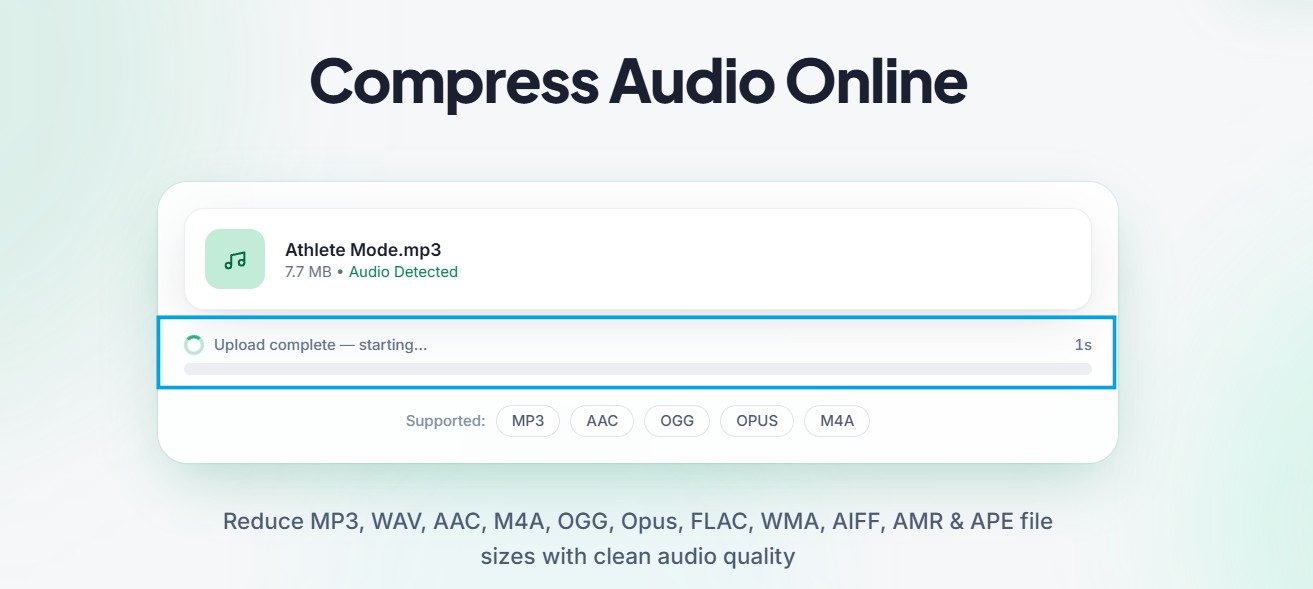
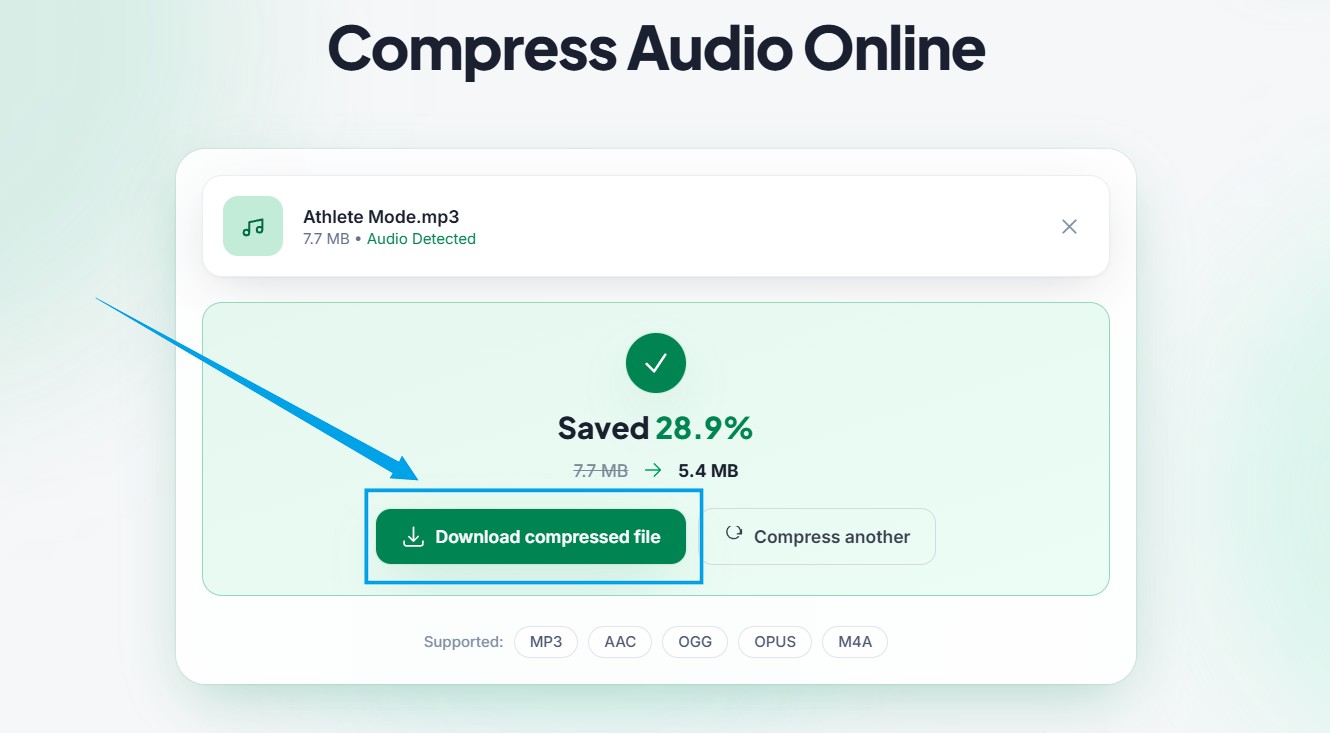
We built multicompressor.com specifically to make your digital life much easier. You do not need any advanced technical skills to use our platform successfully. You do not have to download confusing software or pay for hidden monthly subscriptions. Our website is completely free, secure, and incredibly friendly. Follow these exact steps to fix your heavy music tracks right now.
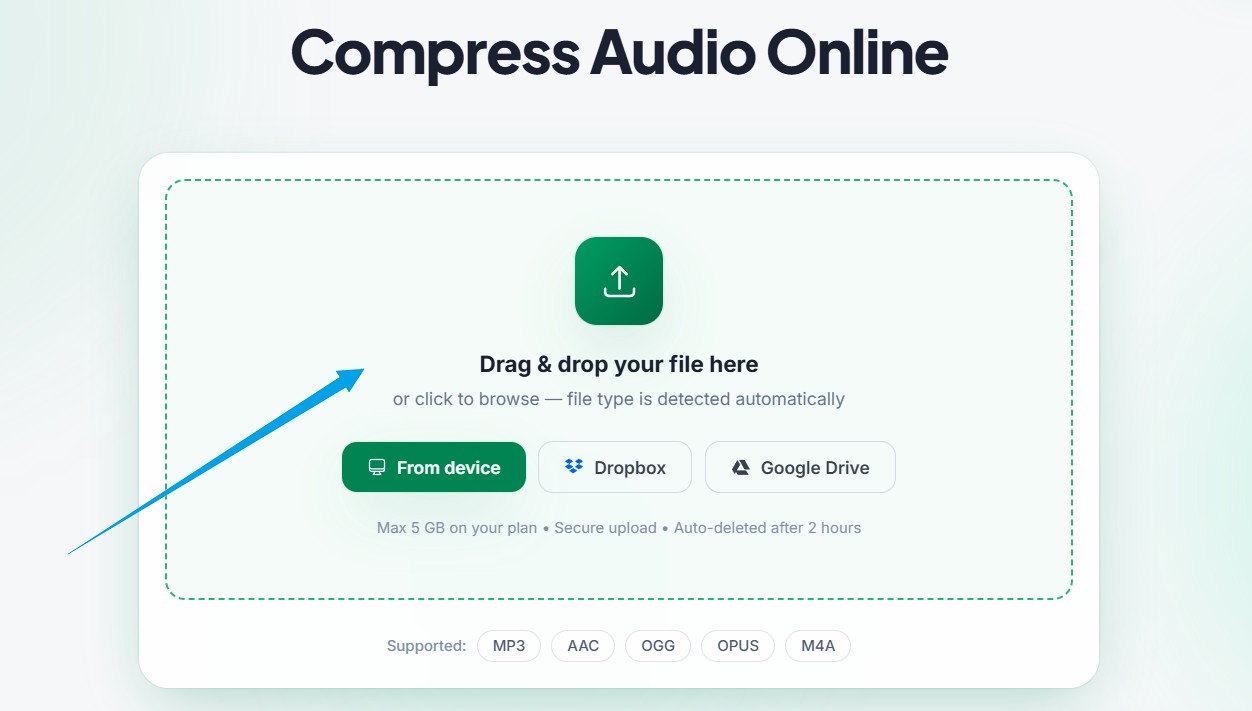
- Upload audio file on Home page or MP3 compressor page upload.
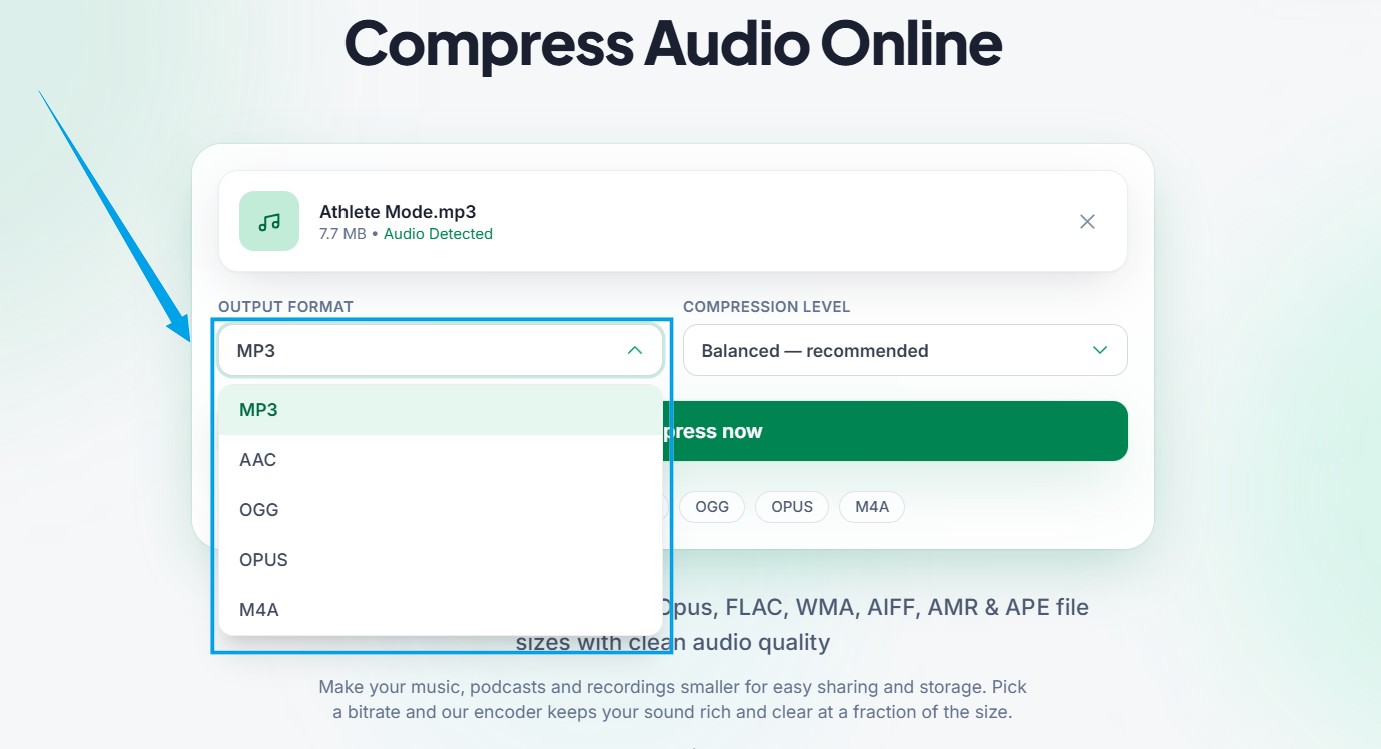
- After uploaded audio file then select output format.
- Click to compress button.
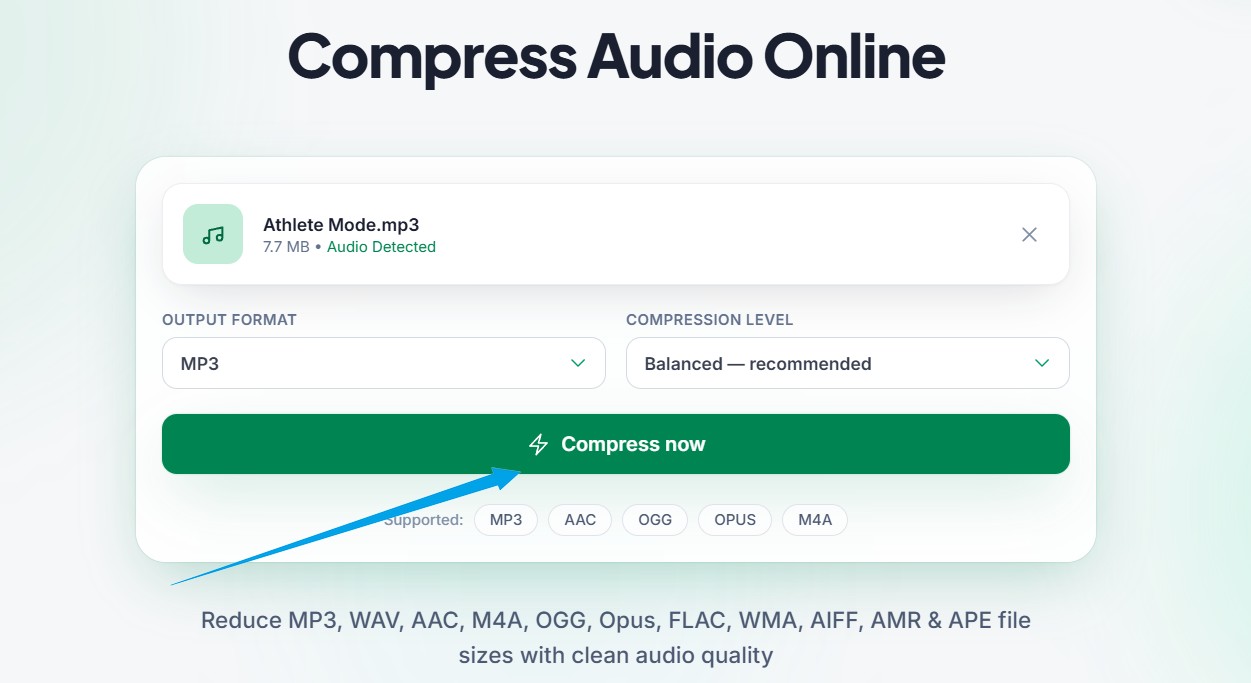
- Compression process take some seconds wait for finish.
- Then download compressed audio file.
Mistakes to Avoid During Optimization
Even with the best tools available, it is incredibly easy to make a few common errors. The absolute biggest mistake beginners make is compressing a single file multiple times in a row. Some people think that if they run a music track through the tool three times, it will just get smaller and smaller. While the file will indeed drop in weight, the sound quality will completely break apart.
Every time you process an audio file, the system safely removes a tiny bit of data. If you do it once, it sounds completely perfect. If you do it repeatedly, the sound becomes highly distorted. It will eventually sound like you are talking underwater through a tin can. Always keep your heavy original draft safely stored on your computer. Only compress from that original source file to fully protect your quality.
Another common mistake is intentionally choosing the absolute lowest bitrate possible just to get a tiny file. If you crush the file too aggressively, it becomes very unpleasant to listen to. Your audience deserves nice, clear sound. Trust the recommended automated settings on the platform. They are specifically designed to give you the perfect balance of small size and high quality sound.
Security and Keeping Your Private Data Safe
When you handle private business meetings, personal voice notes, or unreleased music tracks, security is a massive concern. You might feel very nervous about uploading your private recordings to an internet website. We understand your valid fears completely. At multicompressor.com, your digital privacy is our absolute highest priority.
Our entire platform operates fully automatically. No human being will ever listen to your private uploads. Furthermore, all files travel through a highly encrypted digital connection from your computer to our servers. Most importantly, we never store your personal data. A short time after you finish processing your track, our secure servers permanently delete all copies of your audio. You can completely optimize your highly sensitive corporate recordings with total peace of mind.
Why Faster Files Help Mobile Users
Think deeply about how your audience consumes your content today. Very few people sit quietly at a large desktop computer to listen to a voice note or a podcast. Most of your readers and listeners are using their mobile phones while driving to work, walking the dog, or riding a busy train. Mobile users often deal with very weak cellular signals and highly strict monthly data limits.
If you force a mobile user to download a massive eighty megabyte voice track just to hear your weekly update, their phone browser will likely freeze completely. The download will eat a huge chunk of their valuable cellular data plan, leaving them very frustrated. They will probably delete your track before it even finishes loading.
When you compress audio file sizes properly, you show great respect for your audience. A lightweight track opens instantly on any mobile network, no matter where they are. It plays smoothly without any annoying buffering delays. Creating a totally seamless user experience builds a very loyal, happy audience for your business or blog.
Building A Better Daily Content Routine
True digital productivity is all about creating smooth habits that completely remove friction from your working week. You should never view size reduction as a desperate emergency step that you only use when a client email fails. Instead, make it the mandatory final step of your daily recording process.
Just like you would never publish a blog post without proofreading the spelling first, you should never share a voice recording without checking its digital weight. Once you build this quick two second step into your regular routine, you will completely eliminate the anxiety of bounced emails. You can easily focus your valuable mental energy on creating amazing audio content, leaving all the technical worries far behind you.
5 Frequently Asked Questions
1. Does using an MP3 Compressor completely ruin the sound?
No, it absolutely does not. A high quality optimization tool specifically targets the invisible audio data that human ears cannot even detect. Your final optimized track will still sound incredibly clear, wonderfully rich, and perfectly professional on any standard speaker or pair of headphones.
2. Can I process multiple heavy tracks at the same time?
Yes, our fast platform allows you to process multiple recordings very easily. You can highlight a whole folder of voice notes on your computer and drag them into the upload box at once. Our powerful servers will handle them all quickly, saving you a tremendous amount of valuable daily time.
3. Do I have to pay money to use this online tool?
You absolutely do not have to pay anything. Our website at multicompressor.com is completely free for everyone to use. We do not hide our best features behind expensive paywalls or force you to sign up for annoying monthly premium subscriptions.
4. Are my private voice recordings kept totally secure?
Your personal privacy is completely guaranteed on our platform. Our system works entirely automatically without any human involvement whatsoever. Shortly after you finish downloading your new lightweight track, our servers permanently erase your original data. Your private business always stays completely private.
5. Will the compressed track work correctly on a smartphone?
Yes, the final optimized file is the absolute perfect format for mobile phones and tablets. Because the new file is drastically smaller in actual kilobyte size, it will open and play instantly on any modern smartphone without any buffering or annoying delays.
The Final Word on Audio Optimization
Sharing your voice and your music with the world should never be a frustrating technical challenge. You should never have to compromise your beautiful recordings or delete your hard work just to fit a strict email limit. Now that you understand exactly how the background process works, you can take total control of your digital media today.
By using a highly trusted MP3 Compressor, you keep your projects totally stunning while shedding all the useless background weight. Your loyal podcast listeners will deeply appreciate the fast streaming speeds. Your daily working routine will become much smoother than ever before. Visit multicompressor.com right now and give our simple tool a try. Experience the absolute joy of sharing perfect, lightweight music every single time you hit the send button.
Related Articles
Beginner's Guide to Audio Compression and Bitrates
Are heavy recordings slowing your site down? Learn how bitrates work and use a trusted MP3 compressor to shrink your audio files safely right now.
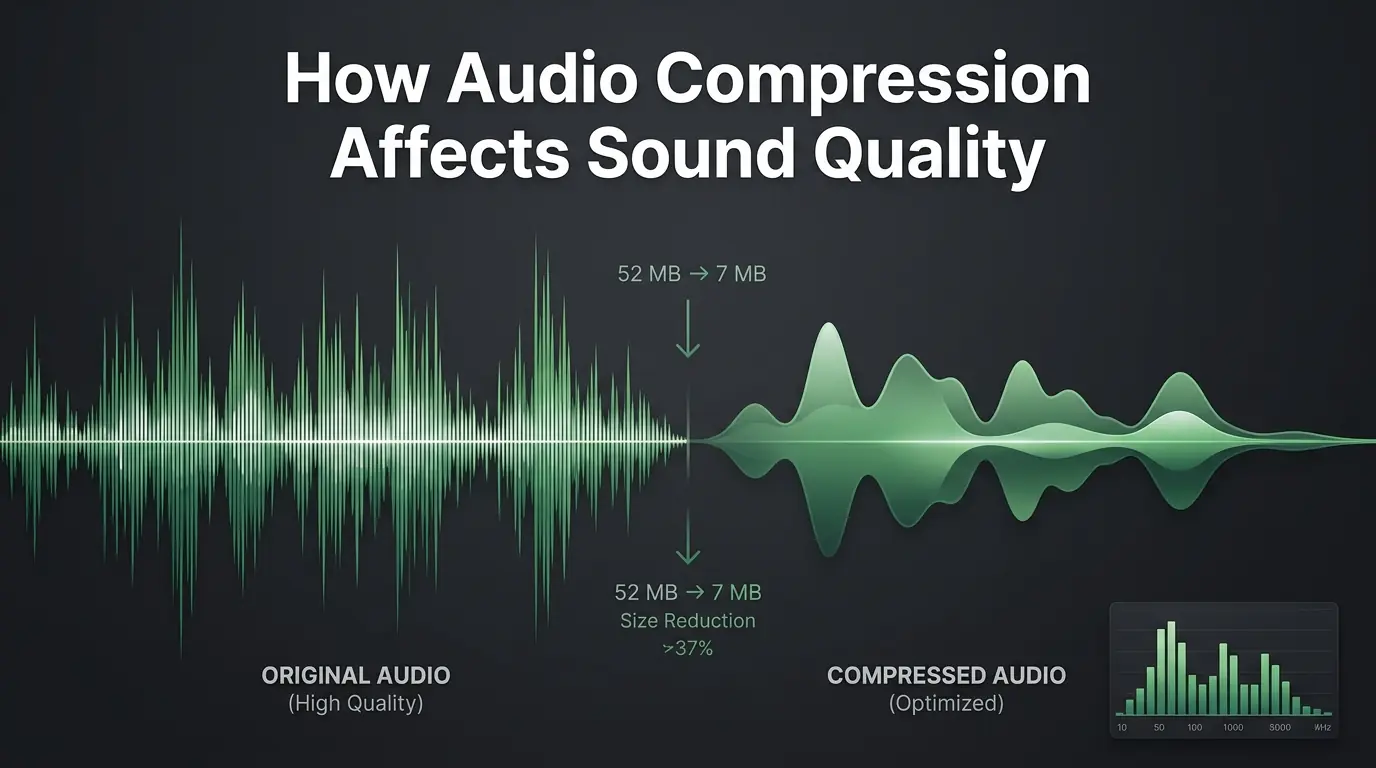
How Audio Compression Affects Sound Quality
Are you worried about ruining your audio? Discover exactly how sound compression affects your files and learn to use an MP3 compressor perfectly.
Best Ways to Optimize Audio Files for Websites
Learn how to Mp3 optimize your sound tracks for faster website speeds. Discover simple ways to keep your audio clear and your site visitors happy.