Beginner's Guide to Audio Compression and Bitrates
Are heavy recordings slowing your site down? Learn how bitrates work and use a trusted MP3 compressor to shrink your audio files safely right now.
Imagine sitting down at your desk after a long, productive afternoon of recording. You just finished creating an amazing interview for your business website or a fresh episode for your new podcast. Your voice sounds clear, your message is perfect, and you feel completely ready to share it with the world. You export the track from your recording software and get ready to upload it. Suddenly, your screen freezes. A bright red warning message pops up to tell you that your file is completely over the maximum size limit.
This is a incredibly frustrating moment that almost every digital creator, blogger, and small business owner faces at some point. When you record sound using studio gear, your computer captures a massive amount of raw data. This data makes your files incredibly heavy. You cannot easily email them to clients, they take hours to backup to the cloud, and they refuse to load on standard web pages.
Fortunately, you do not have to live with this digital headache. You can easily fix your heavy tracks by learning a few basic principles about how sound data works. By using a smart MP3 Compressor, you can quickly shrink your large recordings down to a fraction of their original size. The best part is that your listeners will never even notice a difference in the sound quality. Let let us explore the world of bitrates and compression so you can take total control of your online media.
Why Massive Sound Files Are Ruining Your Website
Before we look at the ultimate solution, we need to talk about why large files are so dangerous for your online business or personal blog. The internet runs on pure speed. When a normal person clicks on your website link, they expect the page to load almost instantly. If you have a massive, uncompressed sound track sitting directly on your homepage, that person's browser has to work incredibly hard to download all that heavy data.
While the browser struggles to load your heavy track, your visitor stares at a blank screen or a spinning loading icon. Most people will not sit around waiting for a slow website to load. They will simply get frustrated, close your browser tab, and go find a competitor who has a faster website. This means you lose a potential customer or a loyal reader before they even get a single chance to hear your voice.
Slow loading times also cause immense damage to your search engine rankings. Major search engines like Google constantly track how fast your website pages load for normal mobile users. If Google notices that your pages are slow and heavy, the algorithm will push your website down to the bottom of the search results. Taking the time to optimize your tracks is not just a minor technical detail. It is a vital part of your everyday online marketing strategy.
What Exactly Is Audio Compression?
The word compression can sound slightly intimidating if you are completely new to digital media. You might picture a heavy machine crushing a car into a tiny metal cube. Luckily, digital sound reduction is much friendlier than that. It is basically a smart way of reorganizing data so that it takes up much less space on your computer hard drive.
To understand how it works, think about packing a backpack for a quick weekend trip. If you just throw your clothes into the bag in a messy pile, the backpack will overflow immediately. You will struggle to zip it shut. However, if you roll your clothes tightly and pack them neatly, you can easily fit everything inside with plenty of room to spare. Your clothes are exactly the same, but you packed them much more efficiently.
When you run a recording through an MP3 Compressor, the software does something very similar. It opens up your track and looks closely at all the tiny pieces of information inside. It removes the extra, unneeded weight while keeping the core elements completely safe. This simple process allows you to turn a giant hundred megabyte file into a tiny ten megabyte file that you can share instantly.
Demystifying Lossy and Lossless Audio
When you start researching sound tips online, you will quickly run into two major terms, which are lossy and lossless. These words simply describe how software handles your private information during the shrinking process. A lossless file format keeps every single piece of sound data that your microphone recorded in the studio. It never throws a single detail away. Because it keeps absolutely everything, the file remains incredibly large and heavy.
A lossy file format works on a completely different principle. It actively throws away a large portion of the digital data to make the file as small as humanly possible. The classic MP3 format is a famous example of a lossy format. Hearing that a program permanently deletes your data might sound a little bit scary at first. You might worry that your voice will sound strange or broken.
The secret lies in the brilliant way the software chooses what to delete. It does not just randomly cut out pieces of your conversation. Instead, it targets sounds that the human ear cannot actually hear anyway. For example, if a loud thunder clap happens at the exact same millisecond as a tiny cricket chirp, your human brain will completely ignore the cricket. The compression software knows this biological trick. It deletes the hidden cricket sound from the code, saving you massive amounts of storage space without changing what you actually hear.
Finding Your Perfect Audio Coding Format
Every single sound file on your computer uses a specific audio coding format to store its data. Think of this as the digital recipe that your computer uses to rebuild the sound waves when you click the play button. Different formats use completely different recipes. Some recipes focus entirely on perfect studio preservation, while others are built for fast internet streaming.
Choosing the right audio coding format for your daily projects is incredibly important for your user experience. If you use an outdated or overly heavy format on your business website, you will cause endless technical glitches for your visitors. Let us look at a simple breakdown of how the most popular options compare in the real world.
Sound Settings and Bitrate Comparison
To make your daily digital choices completely stress free, you can use this simple chart. It shows exactly how different settings affect your overall file size and sound quality.
| Bitrate Setting | Sound Quality Level | Ideal Everyday Use Case | File Size Impact |
|---|---|---|---|
| 64 kbps | Very Low | Simple voice notes and long audiobooks | Extremely Small |
| 128 kbps | Good | Standard spoken podcasts and casual web blogs | Very Small |
| 192 kbps | Very Good | High quality interviews and background music | Moderate Size |
| 320 kbps | Excellent | Professional music tracks and rich sound effects | Large Size |
What On Earth Is a Bitrate?
You cannot fully understand sound files without talking about bitrates. The term bitrate sounds highly technical, but it is actually a very simple measurement. It simply refers to how many tiny bits of data your computer processes every single second during playback. We measure this speed in kilobits per second, which people write as kbps.
A very high bitrate means your computer is reading a massive amount of information every second. This creates a remarkably rich, deep, and beautiful sound experience. However, because it holds so much data, the physical file size becomes huge. A very low bitrate means the computer reads very little data. The file becomes incredibly tiny, but if you drop the numbers too low, the sound will start to crackle and pop.
For the vast majority of bloggers and business owners, the ultimate goal is to find the perfect sweet spot. You want a bitrate that is low enough to make your website load instantly, but high enough to keep your voice sounding warm, professional, and clear. For standard human speech, you actually do not need a massive studio bitrate. Human voices are simple sounds compared to a full rock band with drums and guitars.
Key Advantages of Optimizing Your Media
Taking a few quick moments to optimize your recordings before publishing them brings wonderful benefits to your daily routine. It completely changes how you manage your website and interact with your audience.
- Your web pages will load beautifully fast on any mobile device or slow cellular network.
- You will save massive amounts of expensive server storage space every single month.
- Your regular readers will not waste their costly mobile data plans when streaming your clips.
- You will easily bypass the annoying attachment limits on standard email systems.
- Your audio tracks will start playing instantly without any frustrating buffering pauses.
- You will keep your entire online business looking highly polished, professional, and efficient.
MP3 Compress Guides
We built our free tool at multicompressor.com to make this entire technical process incredibly easy for beginners. You do not need to download heavy software, buy expensive editing apps, or watch hours of confusing video tutorials. Our platform works directly inside your favorite web browser. You can easily fix your oversized tracks by following this simple five step guide.
- Open your internet browser and navigate directly to the homepage or the dedicated MP3 compressor page.
- Select your heavy sound file from your computer folder and upload it to the secure box.
- Choose your preferred output format and bitrate settings from the simple options menu.
- Click the prominent button to start the automated compression process.
- Wait just a few short seconds for our fast servers to finish the job and download your new lightweight track.
Common Mistakes to Avoid When Shrinking Audio
Even with the best online tools at your disposal, it is still very easy to make a few classic rookie mistakes. The absolute biggest error beginners make is compressing the exact same file multiple times. Some people think that if they run a track through a compressor three times in a row, it will just keep getting smaller and better.
In reality, running a lossy file through a tool repeatedly will completely destroy your sound quality. Every single time you process the track, the software throws away another layer of data. If you do it too much, your voice will quickly start to sound like a weird robot trapped deep underwater. Always keep your heavy original recording safely tucked away in a backup folder, and only compress from that original source file one single time.
Another common pitfall is dropping your bitrate too low just to save a few extra kilobytes of space. While a tiny file is great for website speed, you must never sacrifice basic readability. If your listeners have to strain their ears just to understand your spoken words, they will quickly turn off your show. Stick to the trusted industry standard recommendations to keep your brand looking highly professional.
Why Mobile Users Deserve Lightweight Files
When you are designing a website or planning a blog, you must always remember who your actual audience is. Today, the vast majority of people are not sitting at large desktop computers with lightning fast fiber optic internet. They are browsing your website using their mobile smartphones while riding a noisy train, walking the dog, or waiting in line at the local coffee shop.
Mobile users often have to deal with highly unstable cell phone signals and very strict monthly data limits. If you force a mobile user to download a massive eighty megabyte studio track just to hear your weekly business update, you are creating a terrible user experience. The file will constantly pause to buffer, and it will eat up a huge chunk of their expensive monthly data plan.
When you take a quick second to use an MP3 Compressor, you are showing great respect for your audience. A perfectly optimized track will open instantly on even the weakest cell signal. It will stream flawlessly without a single annoying hitch, keeping your listeners completely happy and highly engaged with your content.
Protecting Your Precious Master Files
As a digital creator, your original recordings are your most valuable business assets. Think of your original uncompressed studio file as a perfect glass sculpture. It holds all the pure, raw beauty of your initial performance. Once you run that file through a lossy compression tool, you are permanently altering the code to make it portable.
Because of this, you must build a strict daily habit of protecting your master files. Never use your optimization tools on your only copy of a recording. Always create a dedicated backup folder on an external hard drive or a secure cloud account.
Keep your heavy master files safely locked away in that backup folder. Then, make a separate copy on your desktop to run through the compressor. This simple habit gives you total peace of mind every single day. If you ever make a silly mistake or select the wrong settings during the optimization process, you can simply delete the bad file and start completely fresh from your perfect master copy.
5 Frequently Asked Questions
1. What is the main purpose of an MP3 Compressor?
The main purpose of this tool is to drastically reduce the physical file size of your sound recordings. It does this by safely removing invisible data and frequencies that human ears cannot naturally hear anyway. This process makes your files much lighter, allowing you to upload them to websites quickly and share them easily via email.
2. Will audio compression make my voice sound weird?
No, it absolutely will not ruin your voice if you use the proper settings. Modern tools are designed to protect the warm, natural frequencies of human speech. As long as you choose a balanced industry standard bitrate, your listeners will never even notice a difference in the overall sound quality.
3. Which audio coding format should I choose for my blog?
For a standard business blog or podcast website, the classic MP3 format is almost always your absolute best choice. It is universally compatible with every single smartphone, tablet, and web browser in the world. This guarantees that every single person in your audience can listen to your content without any issues.
4. Why does my compressed track sound like a distorted robot?
If your recording suddenly sounds heavily distorted, muddy, or robotic, you accidentally compressed the file too aggressively. This happens when you choose a bitrate that is far too low, such as 64 kbps or less. To fix this issue, simply delete the bad copy and run your original master file through the tool again using a higher bitrate setting.
5. Is it safe to optimize private business audio online?
Yes, it is completely safe if you use a trusted and secure platform. At multicompressor.com, your digital privacy is our absolute highest priority. Our entire system operates fully automatically without any human intervention. Furthermore, our secure servers permanently delete all your uploaded files shortly after you finish your download.
Final Thoughts on Mastering Your Media
Learning to manage your digital media files correctly is one of the easiest ways to elevate your online business or personal blog. You do not need to be a professional sound engineer or spend thousands of dollars on complex studio gear to achieve great results. You just need to understand the simple relationship between data weight, bitrates, and loading speeds.
Every single time you take a moment to optimize a heavy recording before sharing it, you are making a fantastic investment in your user experience. Your website pages will run remarkably fast, keeping your visitors happy and boosting your Google search rankings. Your professional emails will slide into client inboxes smoothly without bouncing back. Most importantly, your hard work will always sound beautifully polished and completely professional to the entire world.
Related Articles
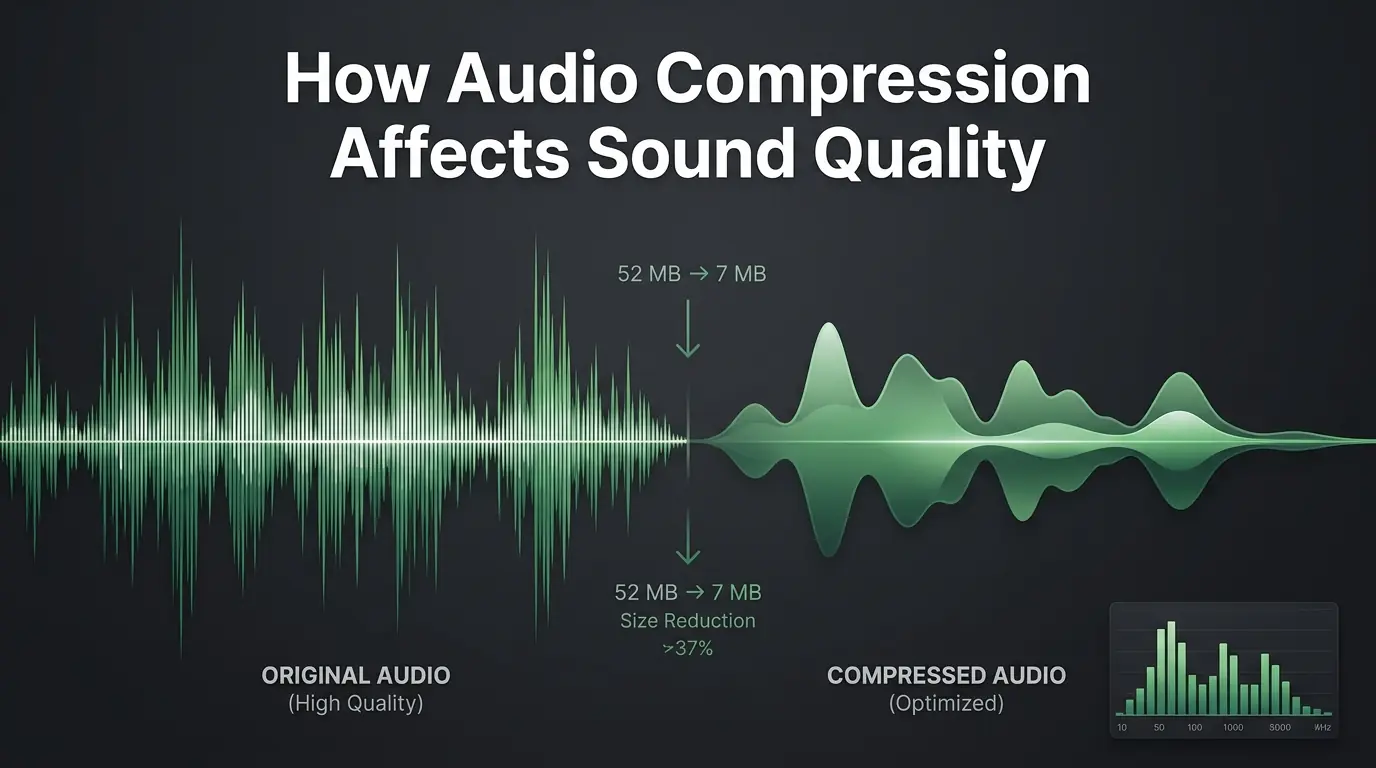
How Audio Compression Affects Sound Quality
Are you worried about ruining your audio? Discover exactly how sound compression affects your files and learn to use an MP3 compressor perfectly.
How to Compress Audio Files Without Losing Sound Quality
Are massive sound recordings slowing you down? Learn how to compress audio file data easily without losing quality using a trusted MP3 compressor.
Best Ways to Optimize Audio Files for Websites
Learn how to Mp3 optimize your sound tracks for faster website speeds. Discover simple ways to keep your audio clear and your site visitors happy.